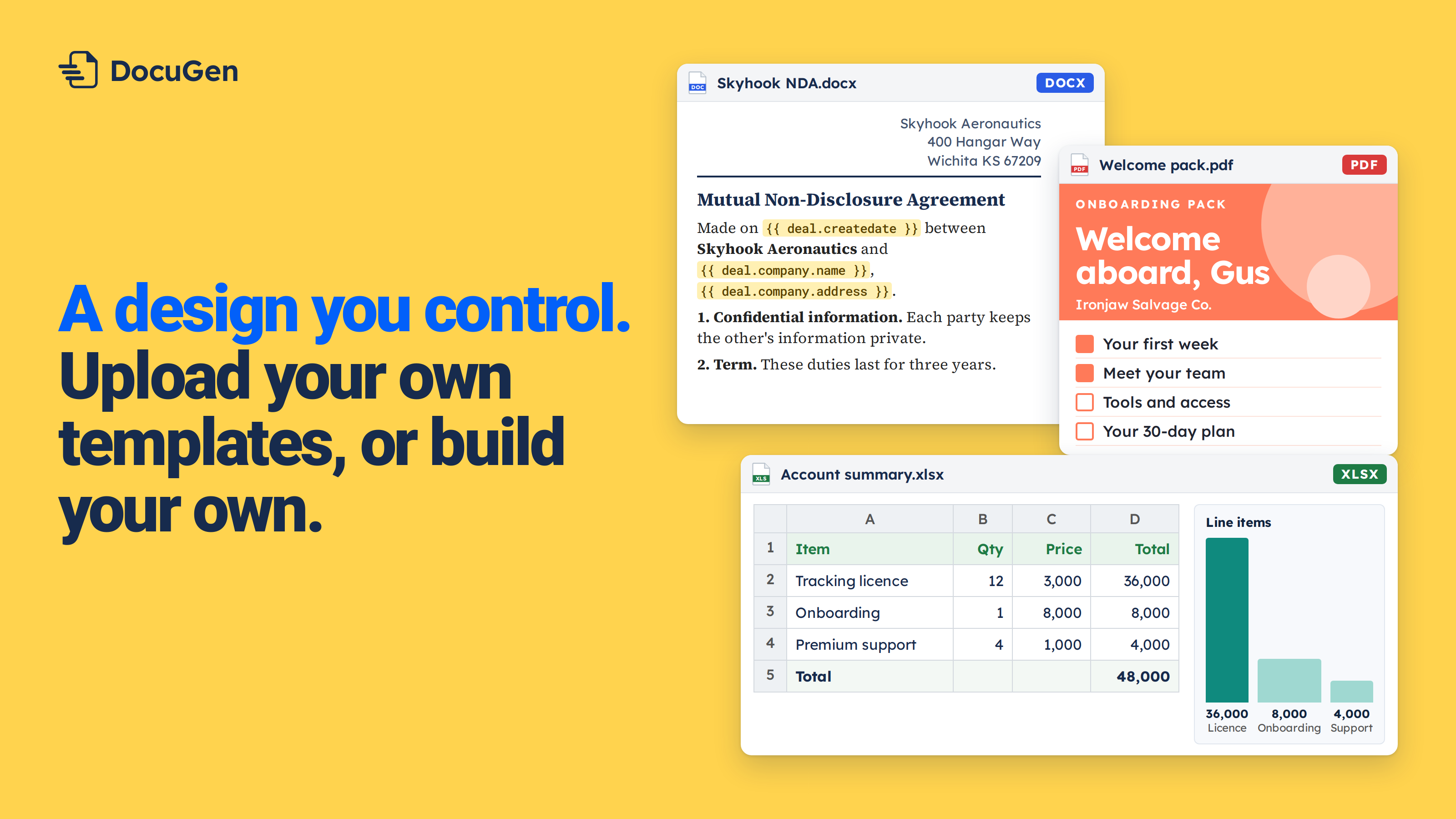
When a deal reaches Closed Won, someone on the team opens a Word template and types the company name and line items by hand. The same personalized onboarding pack, built manually on every deal.
HubSpot workflows can send emails, update properties, create tasks and enrol contacts in sequences. A standard workflow can't build a document from your own Word template, because HubSpot has no native action for document generation. DocuGen adds a Generate document action to HubSpot workflows. When a deal reaches the stage you pick, DocuGen generates the document from the deal record. No manual step after the workflow is live. DocuGen is free for up to 400 documents per account per month, as of November 2026.
HubSpot doesn't have a built-in document generation action in workflows. Workflows handle emails, property updates, task creation and sequence enrolment well. Building a personalized Word or PDF from deal data needs an app.
DocuGen adds a Generate document action to HubSpot workflows. Pick a deal stage as the trigger, pick a recipe, and DocuGen generates the file from every property on the deal. The finished document saves to the deal record.
Below, we'll set up a workflow that generates an onboarding pack when a deal reaches Closed Won.
1
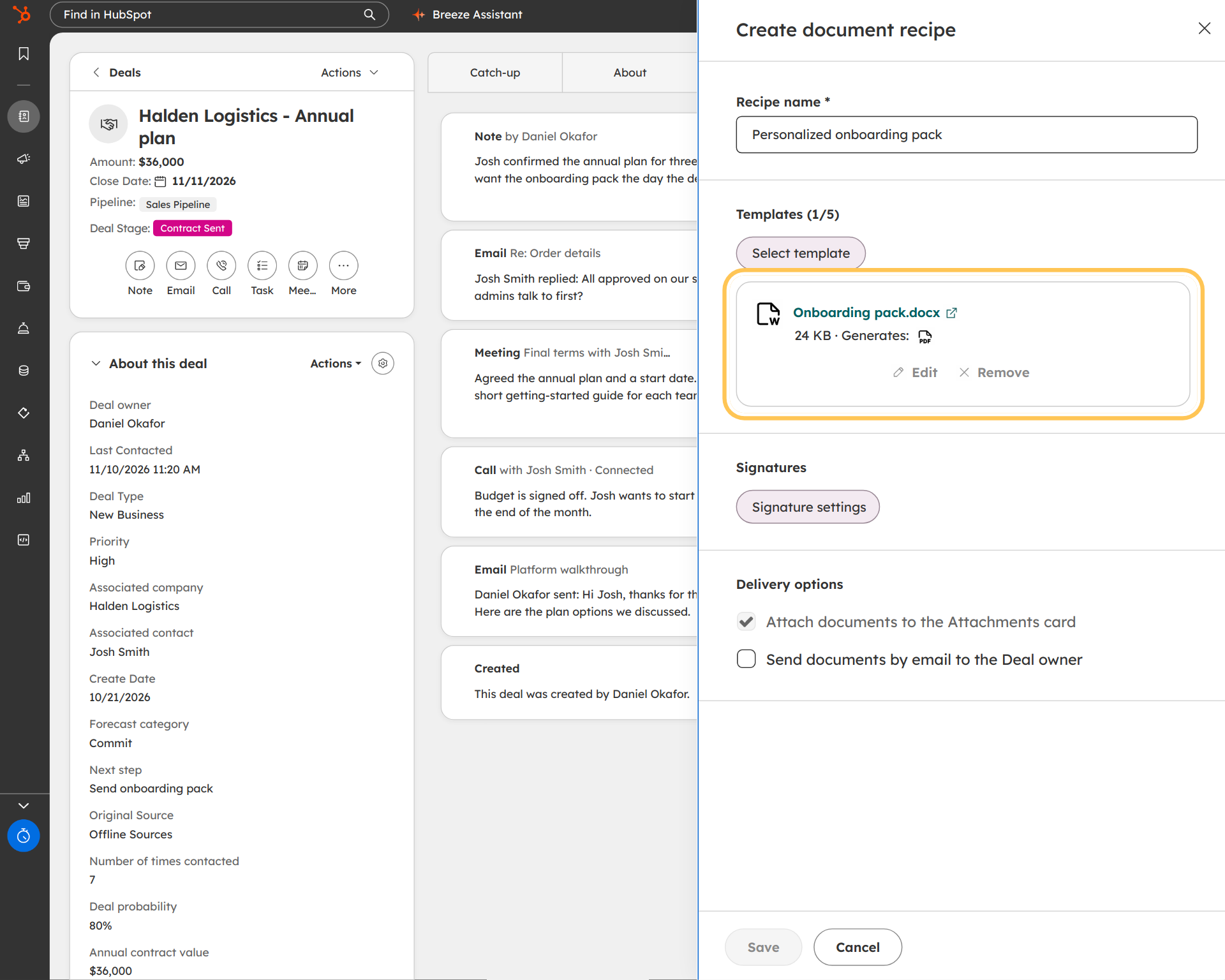
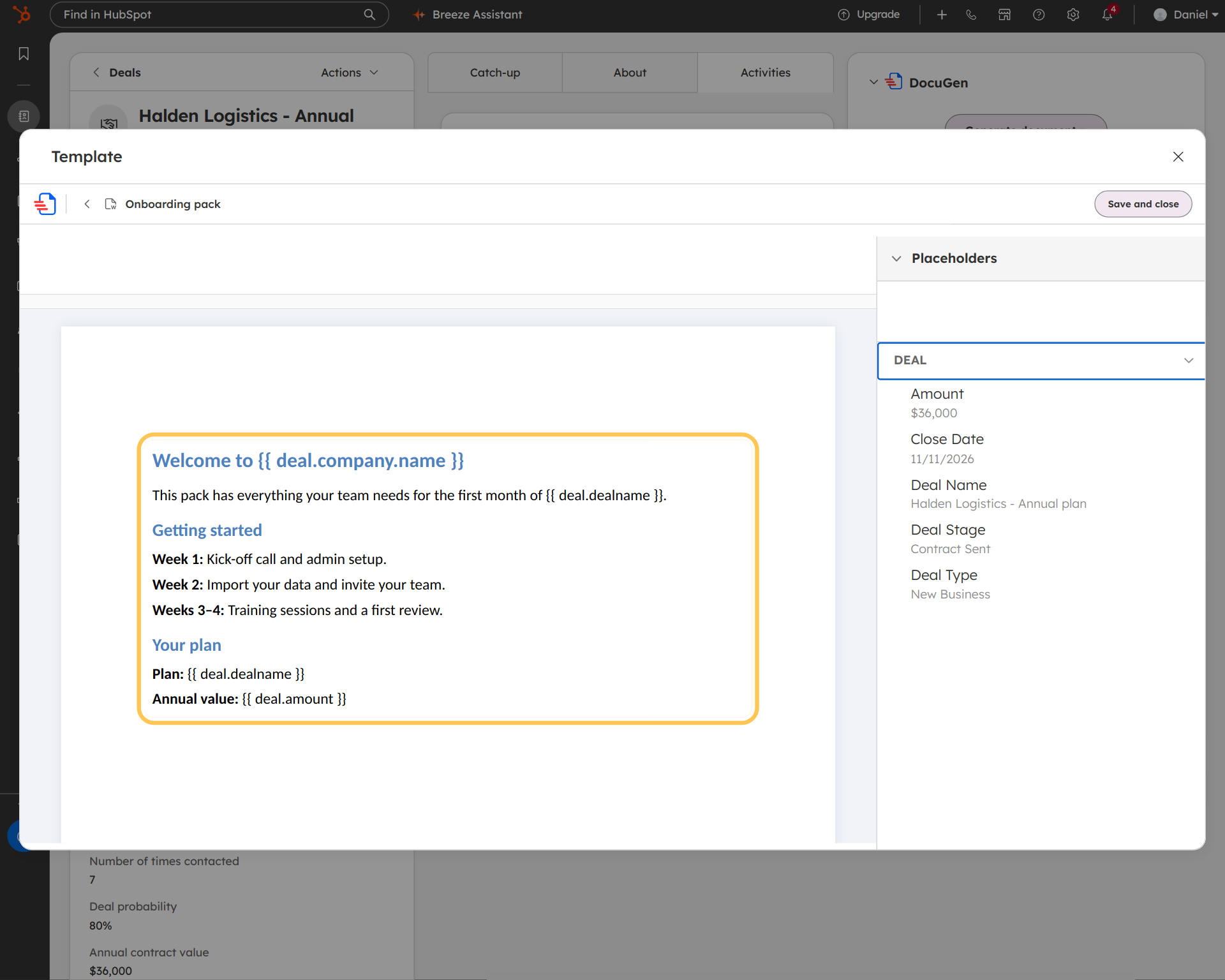
Create a recipe called "Personalized onboarding pack." Upload a Word template (see Create a document recipe). Click Edit, then place deal fields like {{ deal.company.name }} and {{ deal.contact.firstname }} (see Insert HubSpot properties into your documents). Add any custom property the team tracks, such as "Account tier" or "Renewal date."
2
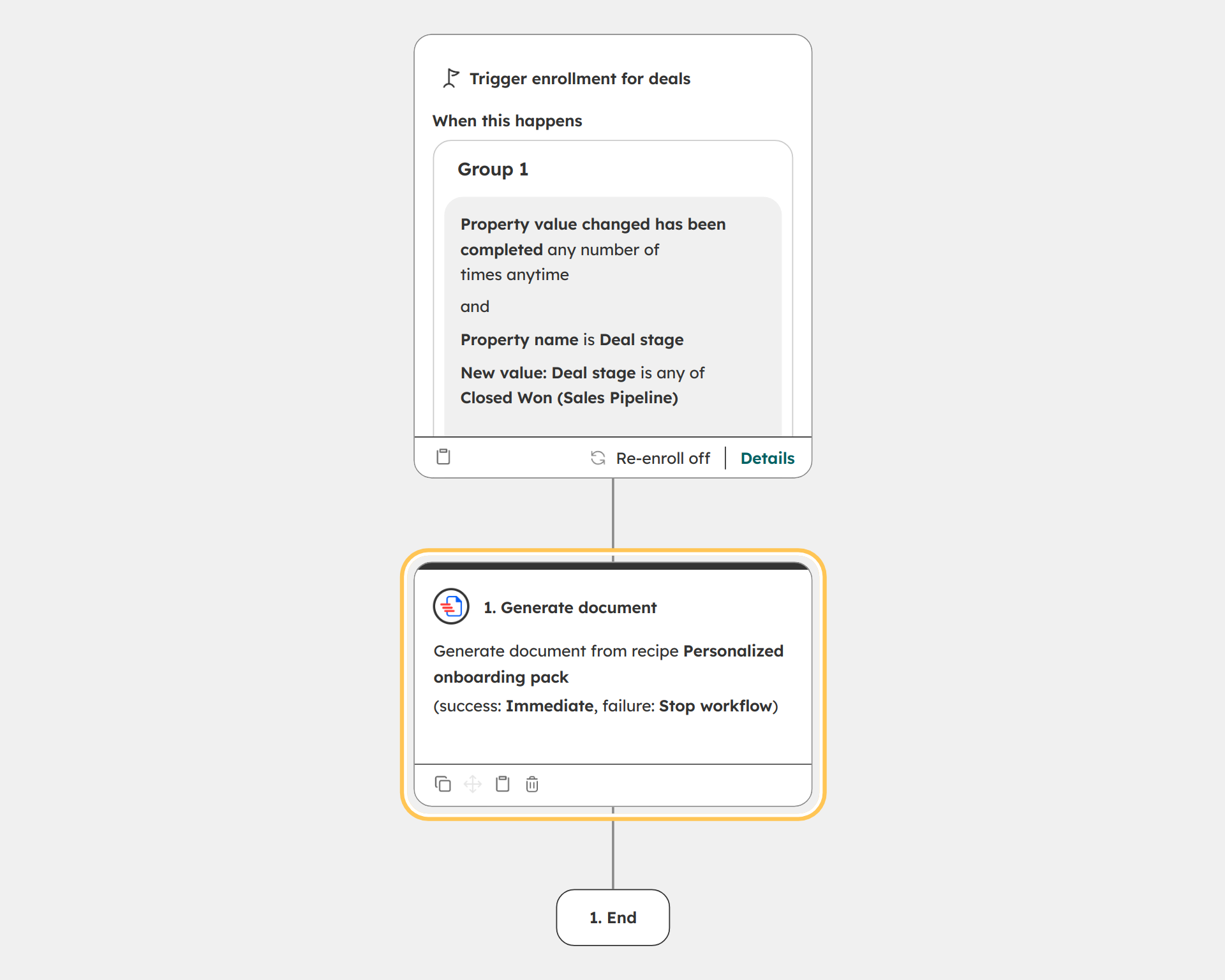
Create a HubSpot workflow. Set the trigger to "Deal stage is Closed Won." Add the DocuGen Generate document action. Pick the "Personalized onboarding pack" recipe.
The workflow fires whenever a deal reaches Closed Won. DocuGen generates the onboarding pack from the deal data and saves the finished PDF to the deal. No manual step after the workflow is live.
3
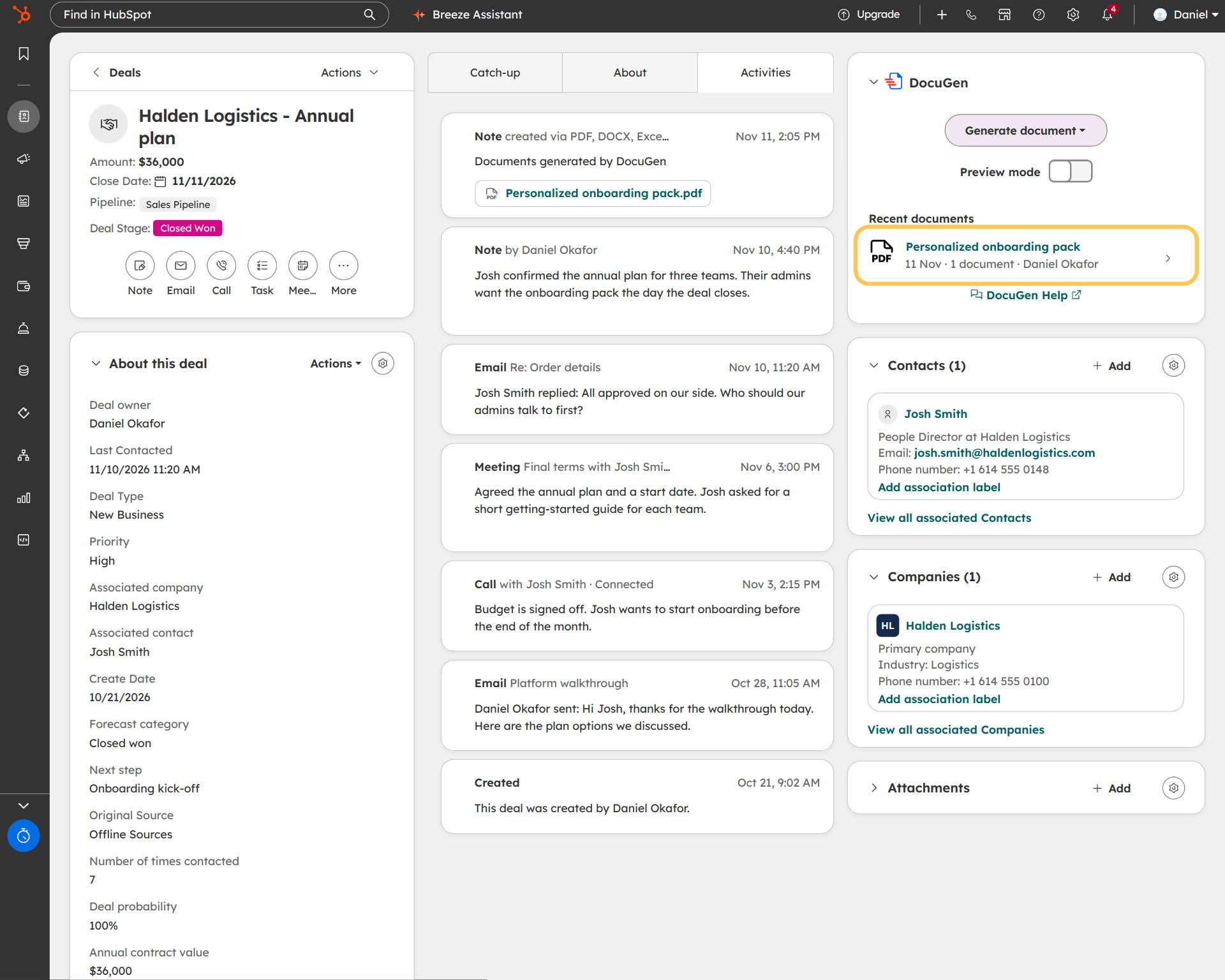
When a deal reaches Closed Won, the workflow fires. DocuGen generates the onboarding pack with every field from the deal and saves the finished PDF to the deal record. The team doesn't touch a Word file. The pack is on the deal the moment the stage changes.
The same workflow pattern works for any document type: welcome letters, NDAs, client intake forms, service reports and account reviews. Pick a trigger, pick a recipe, and the document builds from deal data.
You can also add an approval step before the client sees the document. Sequential signing sends the NDA to legal first and the client signs after legal approves (see NDA approval workflow in HubSpot).
For form-based workflows, DocuGen can generate a PDF from a HubSpot form submission, too (see HubSpot form submission to PDF).
DocuGen for HubSpot: $0 a month for up to 400 documents, or up to 80 e-signed documents, per account per month, with unlimited users and no watermarks, as of November 2026.
Install DocuGen from the HubSpot Marketplace.
The Generate document action works in deal-based, contact-based, company-based and ticket-based workflows. Set the trigger to a stage change, a property update, or any other condition on the record. The workflow generates the document from the record.
Yes. Any HubSpot property can go into the Word template: standard deal fields, custom properties, line items and associated company or contact data. No fixed-field limit.
Set up signature fields in the recipe before adding the recipe to the workflow. When the workflow generates the document, signers receive the signing link. The free plan covers up to 80 e-signed documents per account per month, as of November 2026.
A workflow email sends the same template to every contact. DocuGen generates a unique document per deal, filled with the deal's own properties, line items and contact details. The finished file saves to the deal record.
Published 12 Nov 2026
· Updated 12 Nov 2026

 Add to monday
 Add to HubSpot