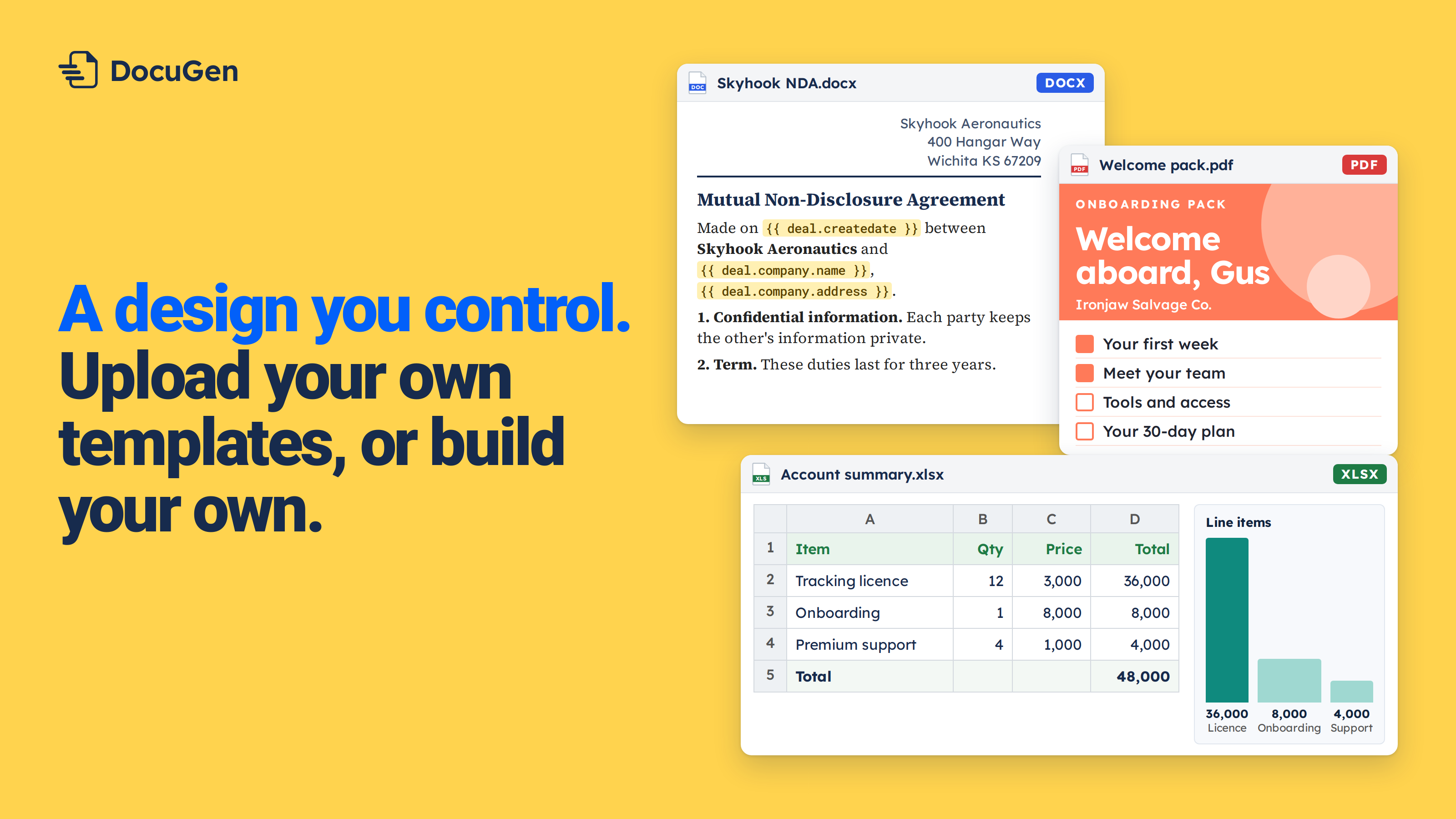
Can you sign documents without leaving HubSpot? The DocuSign integration keeps the signing workflow in DocuSign. DocuGen keeps the signing workflow on the deal.
With the DocuSign HubSpot app, you set up signing in DocuSign and manage signers there. HubSpot gets a link or a status back, and the signing workflow stays outside HubSpot.
Other signing apps follow the same pattern. The document leaves HubSpot, and the signed copy ends up in another system.
DocuGen keeps HubSpot e-signature on the record. You add signers in the template editor and place signature fields on the document. Click Generate and the document goes out for e-signature from the deal. The signed copy saves to the deal's attachments. No tab switch and no second login.
Yes. DocuGen is a HubSpot Marketplace app that adds e-signature to any document from a deal, contact, company or ticket. You place signature fields in your own Word template, and signers sign from a link. The signed copy saves back to the HubSpot record. DocuGen is free for up to 80 e-signed documents per account per month, as of November 2026. DocuSign is one option, but you can stay inside HubSpot for the full signing flow.
Here's a welcome letter that needs a client signature. The whole flow stays on one HubSpot deal.
1
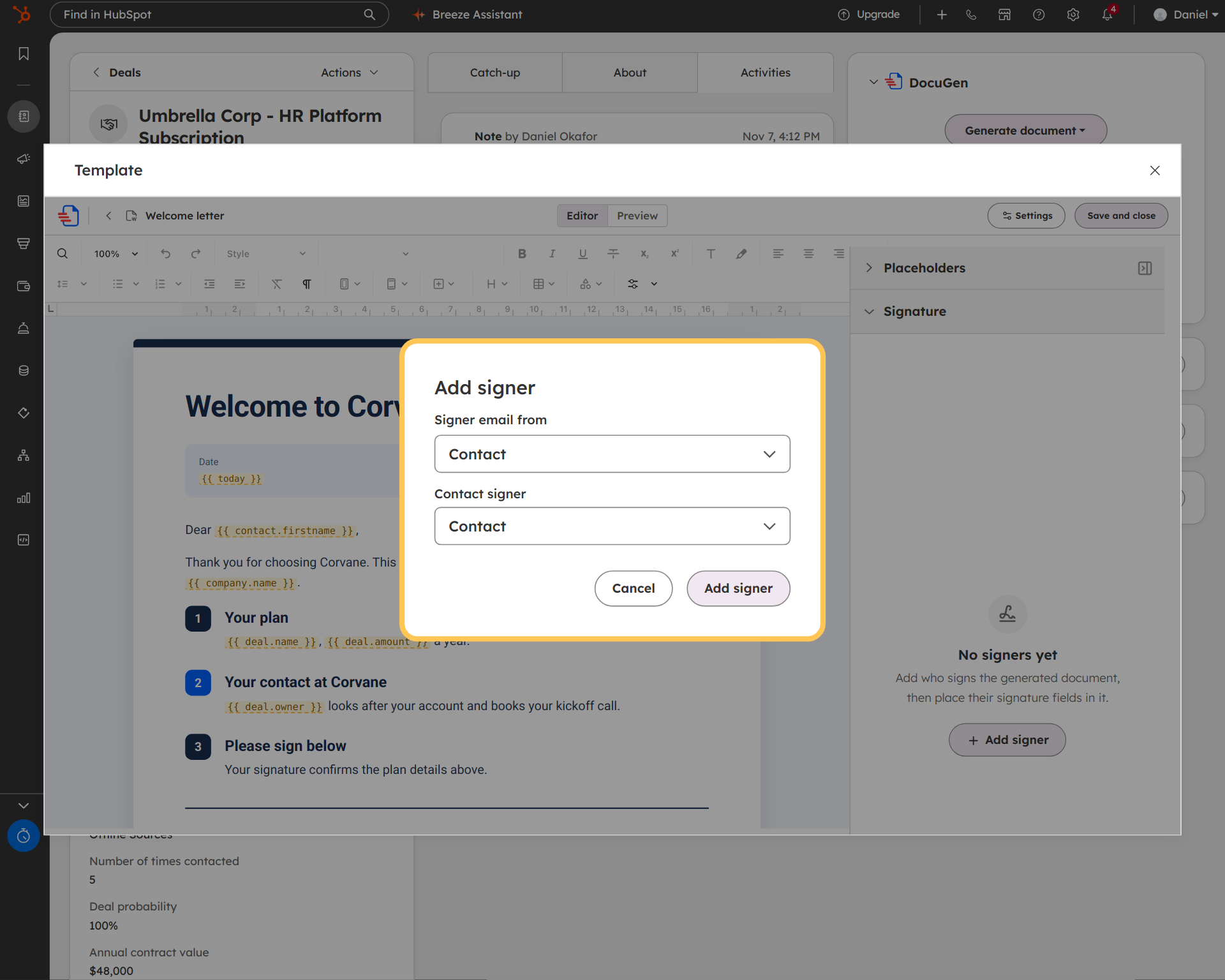
Open the template in the editor and click the Signature panel. Click + Add signer (see Define the signers). Pick the source: "Contact" pulls the email from the deal's contact, or pick "Specific email address" to type an email.
In the example, we're adding Josh Smith as the signer with "Contact" as the source.
2
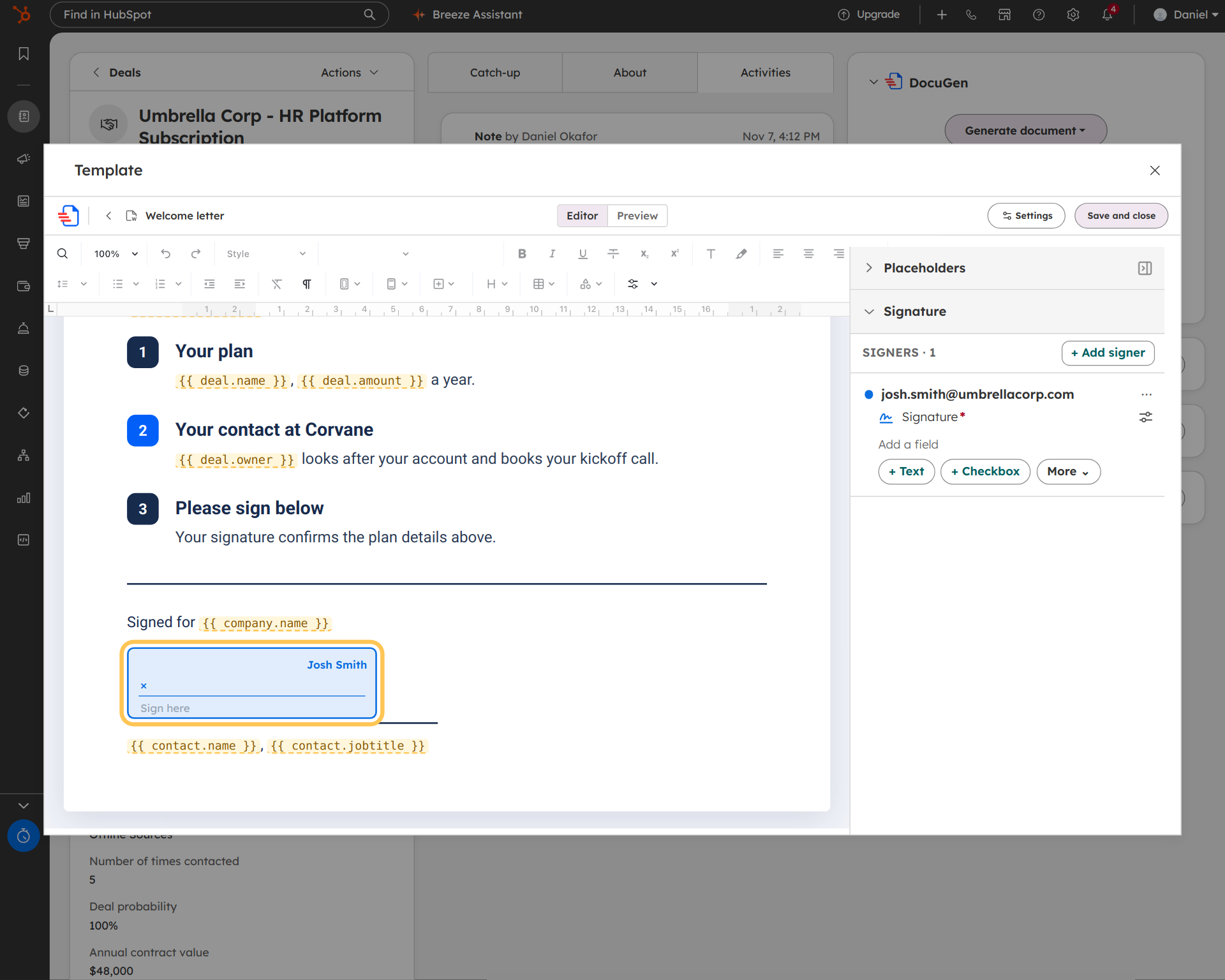
Place a Signature field where Josh needs to sign. Each signer gets a colour in the panel and on the signature box.
In the example, Josh has a signature field at the bottom of the welcome letter.
3
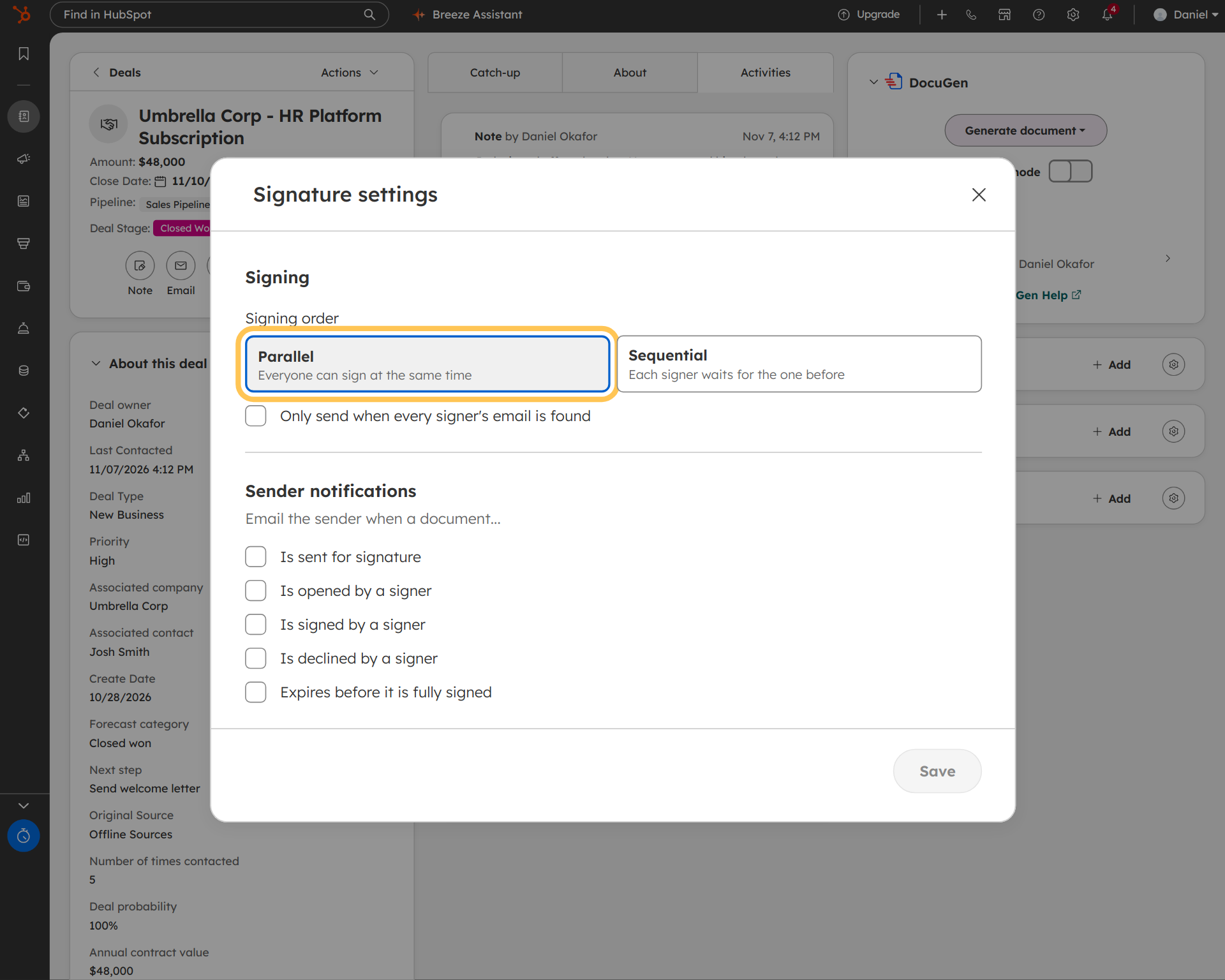
In the recipe, click Signature settings (see Manage signature settings). Pick Parallel or Sequential (sequential signing for NDA approvals covers the approval flow). Set up notifications for when the document is sent, opened and signed.
4
On the deal, click Generate document and pick the welcome letter recipe. DocuGen generates the document and fills every field from the deal. The document goes out for e-signature, and the deal card shows "Awaiting signature."
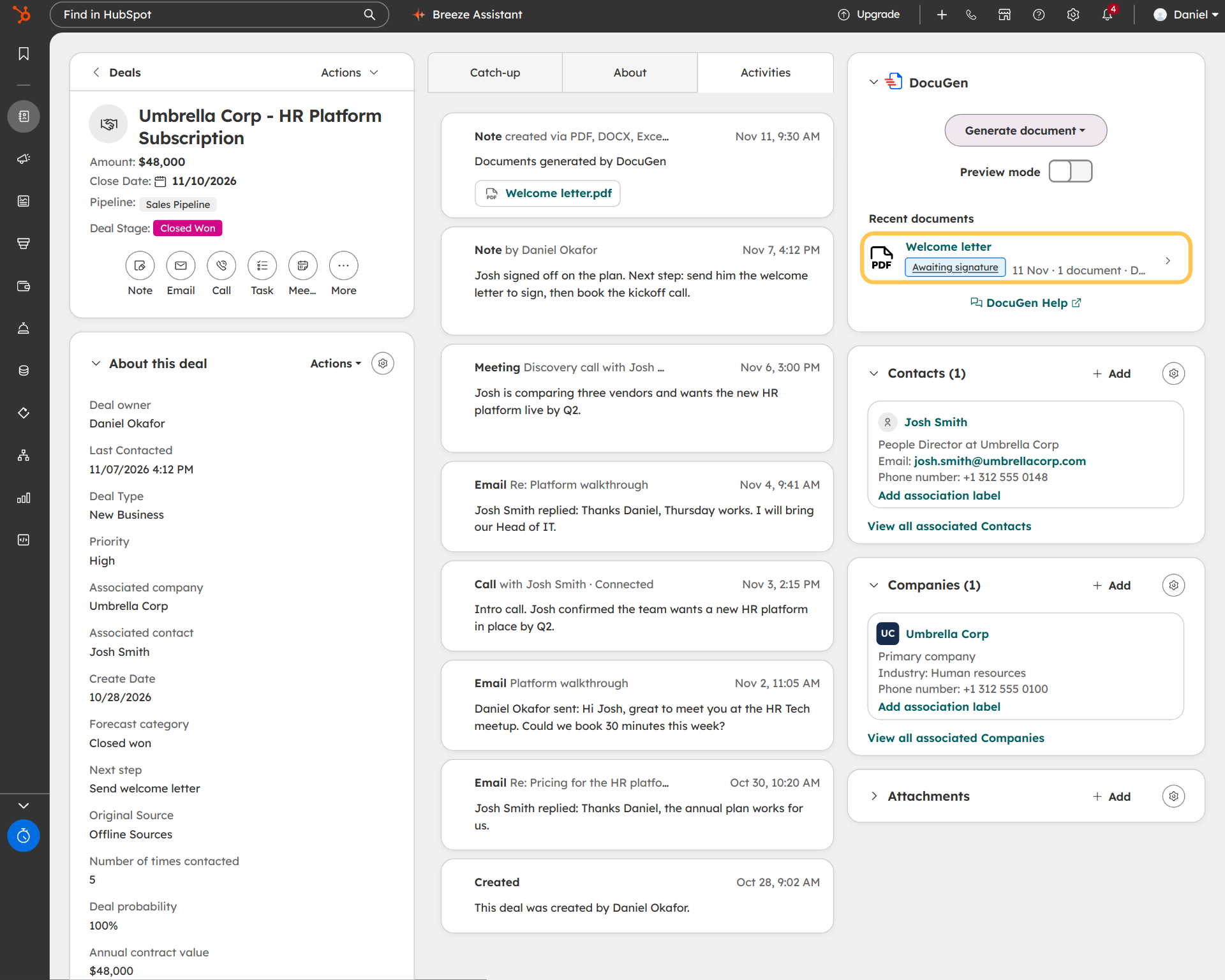
The client opens a signing link and signs. The signed copy saves to the deal. The entire signing flow stays on the HubSpot record.
DocuGen for HubSpot: $0 a month for up to 400 documents, or up to 80 e-signed documents, per account per month, with unlimited users and no watermarks, as of November 2026.
Paid plans start at $99 a month for 1,000 documents, as of November 2026.
Teams signing NDAs, welcome letters, onboarding packs or client intake forms can keep the full e-signature workflow inside HubSpot. For a comparison of DocuGen, DocuSign and PandaDoc pricing for HubSpot teams, HubSpot's App Marketplace lists ratings and install counts for every document app.
Need placed signature fields on documents that aren't quotes? What the HubSpot e-signature limit means covers the workaround.
Install DocuGen from the HubSpot Marketplace.
DocuGen handles e-signature for documents you create from HubSpot records. For signing workflows that involve documents outside HubSpot, DocuSign or a dedicated signing tool is a better fit. For NDAs, welcome letters, onboarding packs and service reports built from HubSpot data, DocuGen covers the full flow without leaving HubSpot.
The signed PDF saves to the HubSpot record's attachments. A note on the deal timeline shows the signing status. Your team can find the signed copy on the record.
Yes. In the template editor, you drag a Signature field to any position on any page. HubSpot's built-in e-signature on Quotes places signatures in the Acceptance section only.
Up to 80 e-signed documents per account per month, with unlimited users, as of November 2026.
Published 12 Nov 2026
· Updated 12 Nov 2026

 Add to monday
 Add to HubSpot