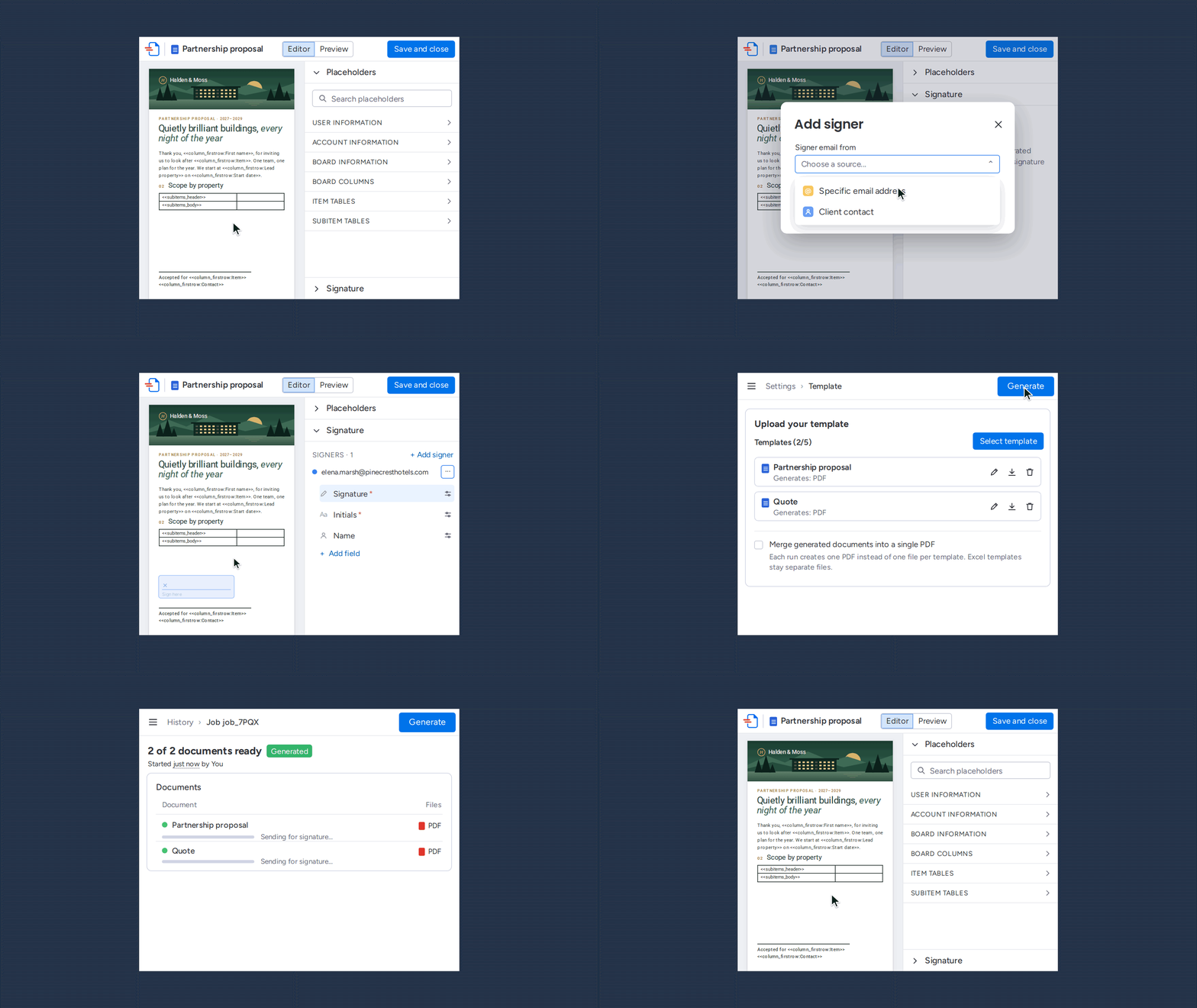
HubSpot has e-signature built into Quotes, and you can sign a quote and files attached to it. For a price approval, HubSpot's built-in signing covers the job.
Two limits show up when you try to do more with HubSpot e-signature.
Where the signature goes. The signature sits in the quote's Acceptance section. You can't move the signature to a different page or put a field next to a specific clause. A client onboarding form that needs a signature next to page-two terms is out of reach.
Monthly allowance. HubSpot's e-signature has a monthly allowance tied to your plan. Once the allowance is used, signatures stop until the next billing cycle.
The HubSpot e-signature limit doesn't mean you're stuck. DocuGen adds e-signature to any document from any HubSpot record, with signature fields placed wherever the document needs them.
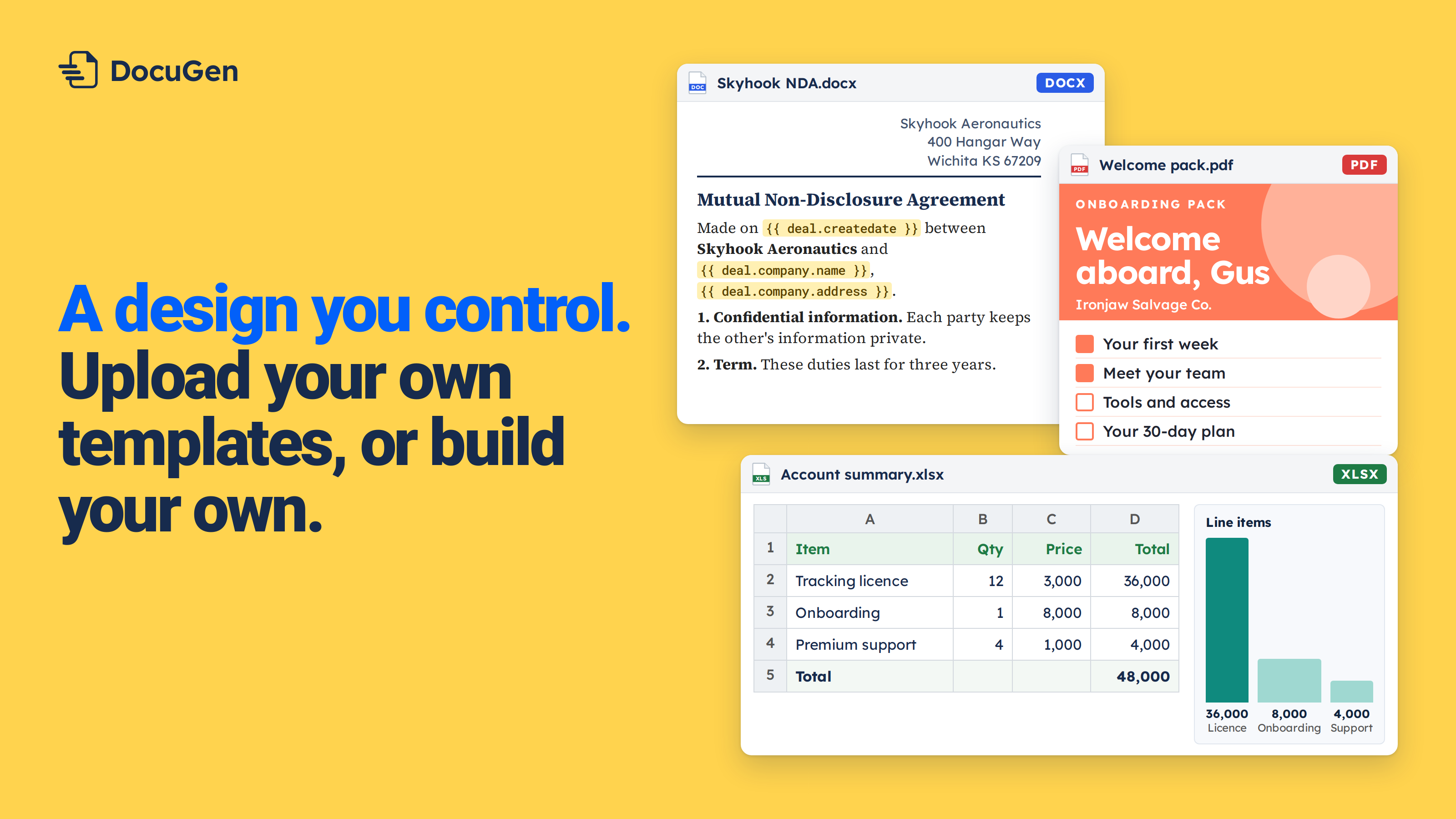
HubSpot's built-in e-signature works on quotes and their attached files, with signatures in the Acceptance section. For NDAs, welcome letters, onboarding packs, client intake forms or service reports, you need a Marketplace app that can place signature fields on any page. DocuGen lets you build the document from a HubSpot record and place signature fields where each clause needs them. Click Generate and the document goes out for e-signature. Free for up to 80 e-signed documents per account per month, as of November 2026.
In the example, we're building a client onboarding form. The form needs two signatures: one beside the data-sharing clause on page one, and another beside payment terms on page two.
1
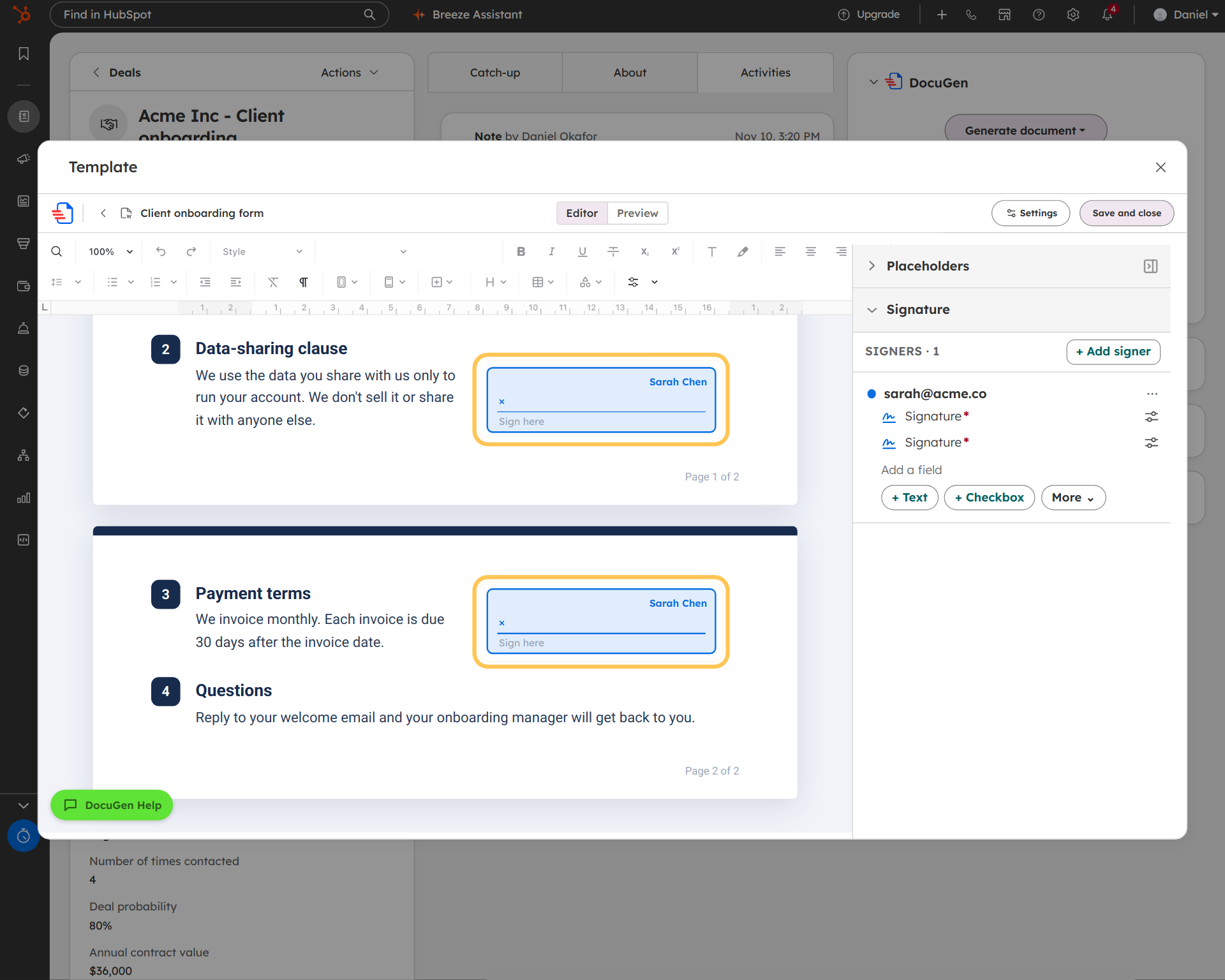
Open the template in the editor and click the Signature panel (see Request signatures). Add the client as a signer. Place a Signature field next to each section the client is agreeing to.
In the example, "Sarah Chen" has two Signature fields: one beside the data-sharing clause and one beside the payment terms.
2
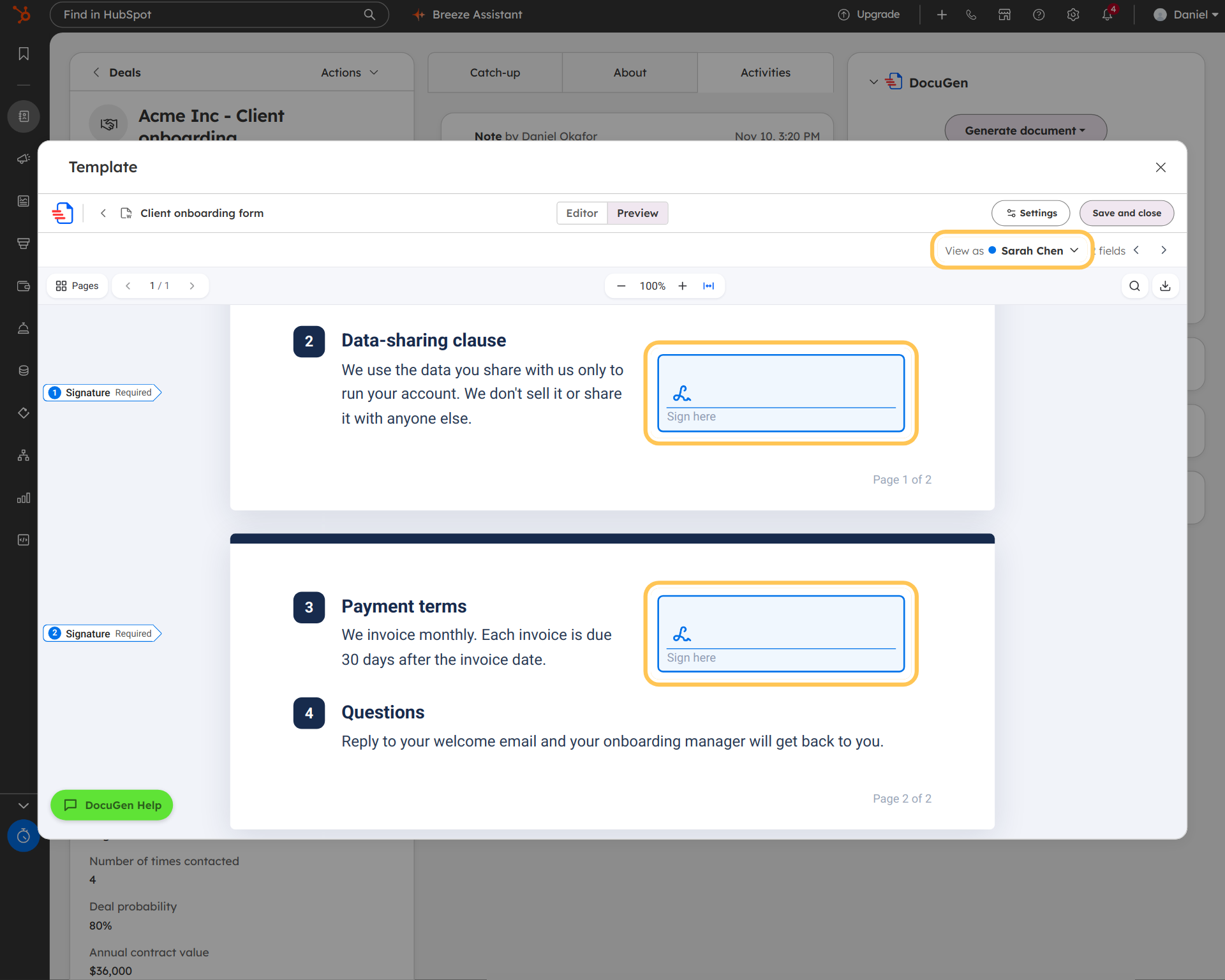
Click Preview and pick "View as: Sarah Chen." Both signature fields appear in position, exactly where the client will sign.
3
In Signature settings, find "Past-quota signatures" (see Generate documents beyond your plan limit). The Past-quota signatures toggle controls what happens when the monthly limit is used up. Turn it on. DocuGen keeps sending documents for signing. Over-quota documents get a DocuGen watermark, and each signed document uses 5 credits.
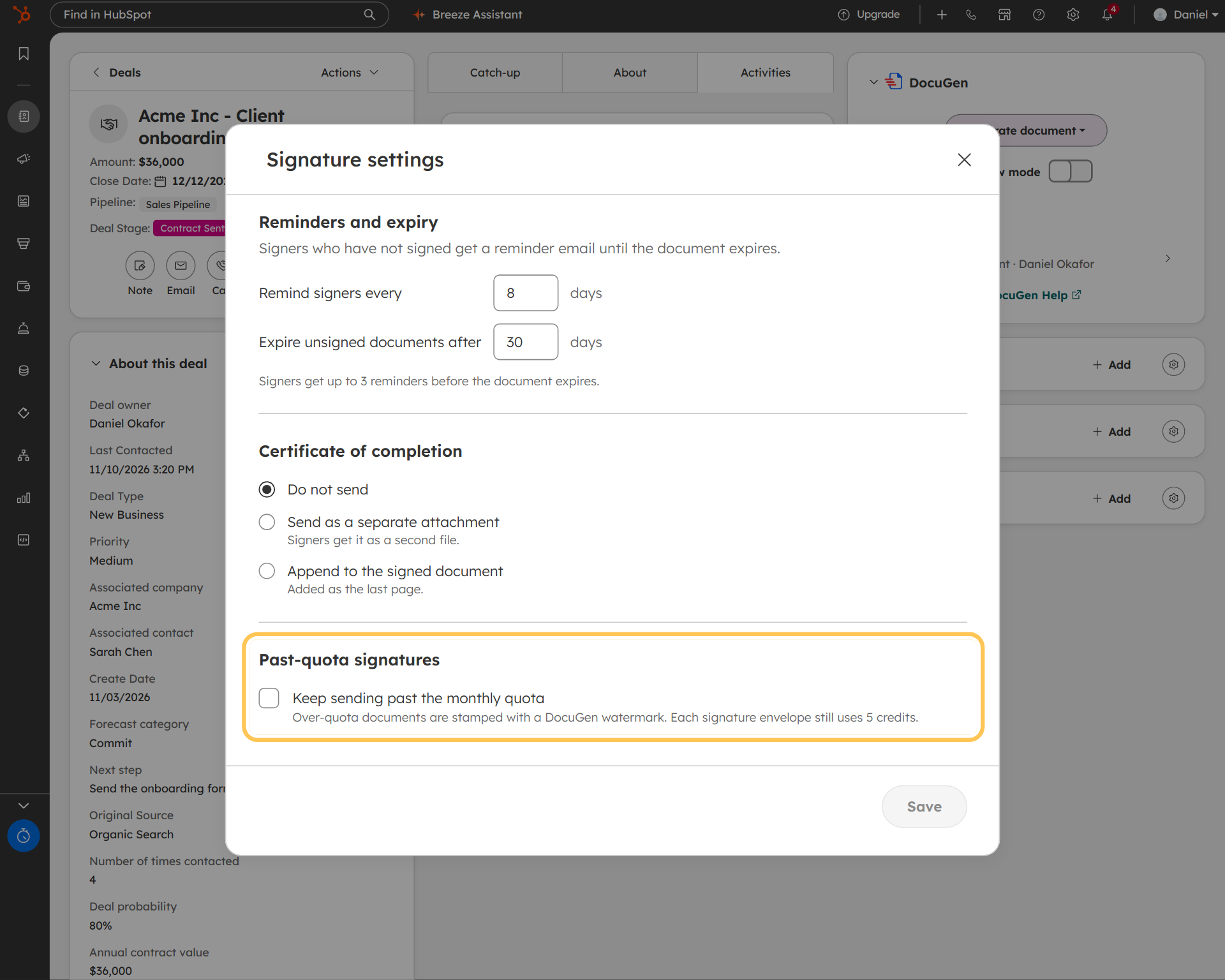
With DocuGen, signature fields can go anywhere on any document. No Acceptance section and no fixed position.
The DocuSign vs DocuGen post walks through a welcome letter example with the full signing flow on a deal.
For teams that need an approval step before the client signs, the NDA approval workflow post covers sequential signing with an internal reviewer.
DocuGen for HubSpot: $0 a month for up to 400 documents, or up to 80 e-signed documents, per account per month, with unlimited users and no watermarks, as of November 2026.
Paid plans start at $99 a month for 1,000 documents, as of November 2026. HubSpot's e-signature documentation describes the built-in limits by plan tier.
Install DocuGen from the HubSpot Marketplace.
HubSpot includes a number of e-signatures per month depending on your subscription tier. Once the allowance is used, you can't send new signatures until the next billing cycle. The exact numbers are on HubSpot's pricing page and vary by plan, as of November 2026.
Not with HubSpot's built-in e-signature. Signatures sit in the Acceptance section at the bottom of a quote. DocuGen lets you drag a Signature field to any position on any page of the document.
Yes. DocuGen adds e-signature to any document from any HubSpot record: deals, contacts, companies and tickets. NDAs, welcome letters, client intake forms, onboarding packs and service reports can all carry placed signature fields.
Turn on Past-quota signatures in the recipe's Signature settings. DocuGen keeps sending documents for signing. Over-quota documents get a DocuGen watermark, and each signed document uses 5 credits from your plan balance.
Published 12 Nov 2026
· Updated 12 Nov 2026

 Add to monday
 Add to HubSpot